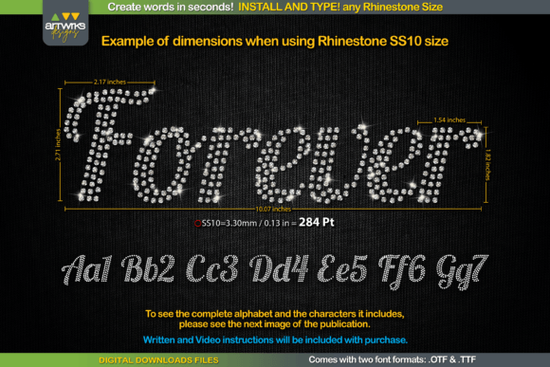
If you work with rhinestone designs or heat transfer vinyl, the Forever Font was made specifically for you. It's a script-style font where every letter is already filled with a rhinestone layout, so you can type out words and have them ready for production in seconds. No manual stone placement. No tracing. Just type and cut.
This font solves one of the most annoying parts of rhinestone and HTV work turning text into a clean, production-ready template. Let's break down what makes it useful, who it's for, and how to get the most out of it.
What Makes the Forever Font Different From Regular Script Fonts?
Most script fonts are designed for print or digital use. They look nice on screen, but if you try to cut them for rhinestones or vinyl, you'll run into problems lines too thin, spacing too tight, and no built-in stone layout. The Forever Font skips all of that headache because each letter is already arranged and trapped for cutting.
Here's what that means in practice:
- Rhinestone templates Each letter is filled with evenly spaced circles that represent stone placement. You type your word, and the template is ready.
- Heat transfer vinyl The letters are designed with proper trapping, so weeding and layering go smoothly without tiny pieces falling apart.
- No editing required You don't need to adjust node spacing or manually fill letters. The font does the work for you.
For anyone running a small custom apparel business or making items for craft fairs, this kind of time savings adds up fast.
Who Should Use a Rhinestone Script Font Like This?
This font is a solid fit for several types of creators:
- Print-on-demand sellers who want to offer rhinestone or glitter HTV designs without spending hours on templates
- Small business owners making custom t-shirts, bags, or hats with sparkling text
- Crafters and hobbyists who use Cricut or Silhouette machines and want clean, ready-to-cut lettering
- Designers building mockups or product listings that feature rhinestone text
If you've ever spent 30 minutes trying to arrange rhinestones inside a single letter by hand, you'll appreciate what this font does out of the box.
How Do You Use It in Your Design Software?
Using the Forever Font works just like any other font. Install it on your computer, open your design program whether that's Silhouette Studio, Cricut Design Space, CorelDRAW, Adobe Illustrator, or even a free tool like Inkscape and start typing.
- Install the font file on your system
- Open your cutting or design software
- Select the Forever Font from your font list
- Type your word or phrase
- Resize as needed and send to your cutter
That's it. The rhinestone layout or vinyl trap is baked into the font design itself, so there's no extra step between typing and cutting.
What Other Script Fonts Pair Well With It?
If you're building a font library for your craft projects, it helps to have a few different script styles on hand. The Forever Font works great on its own, but here are a few others worth checking out from the same collection:
- The Winky Swing font has a playful, bouncy style that's great for kids' apparel and party designs
- If you want something elegant and clean, the Quincy font gives you a more polished script look
- For a relaxed, everyday feel, the casual handwriting font works well for quotes and casual text designs
- The Dream Wish font is another stylish script option that pairs nicely with decorative projects
Each of these fills a slightly different design need, so mixing them into your workflow gives you more creative range without overcomplicating things.
Tips for Getting Clean Results Every Time
A few quick things to keep in mind when working with rhinestone and HTV fonts:
- Check your sizing Make sure the stone diameter or vinyl detail matches your cutter's capabilities. Too small and you'll lose detail.
- Use the right material Rhinestone templates work best with flock heat transfer vinyl or rubber template material depending on your setup.
- Test cut first Always do a small test before running a full sheet, especially with longer phrases.
- Keep your blade fresh Clean, sharp blades make a big difference with intricate text designs.
You can learn more about font licensing and commercial use on Creative Fabrica's licensing page, which explains how their fonts can be used for physical products.
Quick Checklist Before You Start Your Next Project
- Download and install the Forever Font
- Open your preferred design or cutting software
- Type your text and resize to match your project
- Choose your material rhinestone template, HTV, or glitter vinyl
- Do a test cut on scrap material
- Adjust sizing or spacing if needed
- Run your full design and apply with a heat press
Next step: Grab the Forever Font, type out a short word like a name or monogram, and run a test cut this week. You'll see right away how much time it saves compared to building letter templates from scratch. Download Now
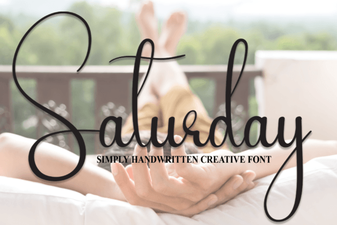 Saturday Font – a Stylish Free Typeface for Creative Design
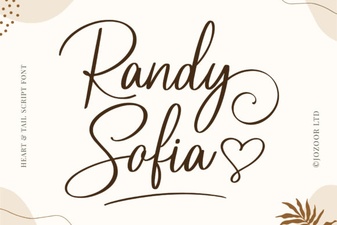 Randy Sofia Font - Elegant Script Font for Creative Designs
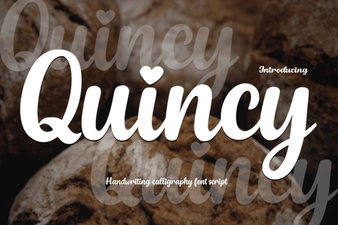 Quincy Font: Elevate Your Designs with Modern Style
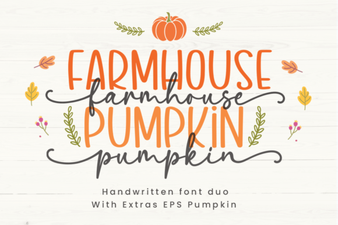 Farmhouse Pumpkin Font for Rustic Fall and Harvest Designs
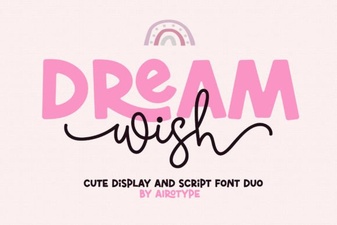 Dream Wish Font - Elegant Script Typeface for Creative Designs
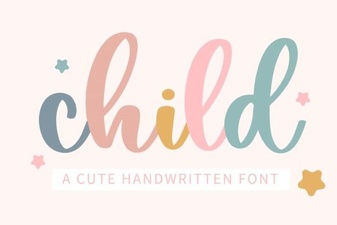 Child Font - Playful Script Fonts for Fun and Creative Designs